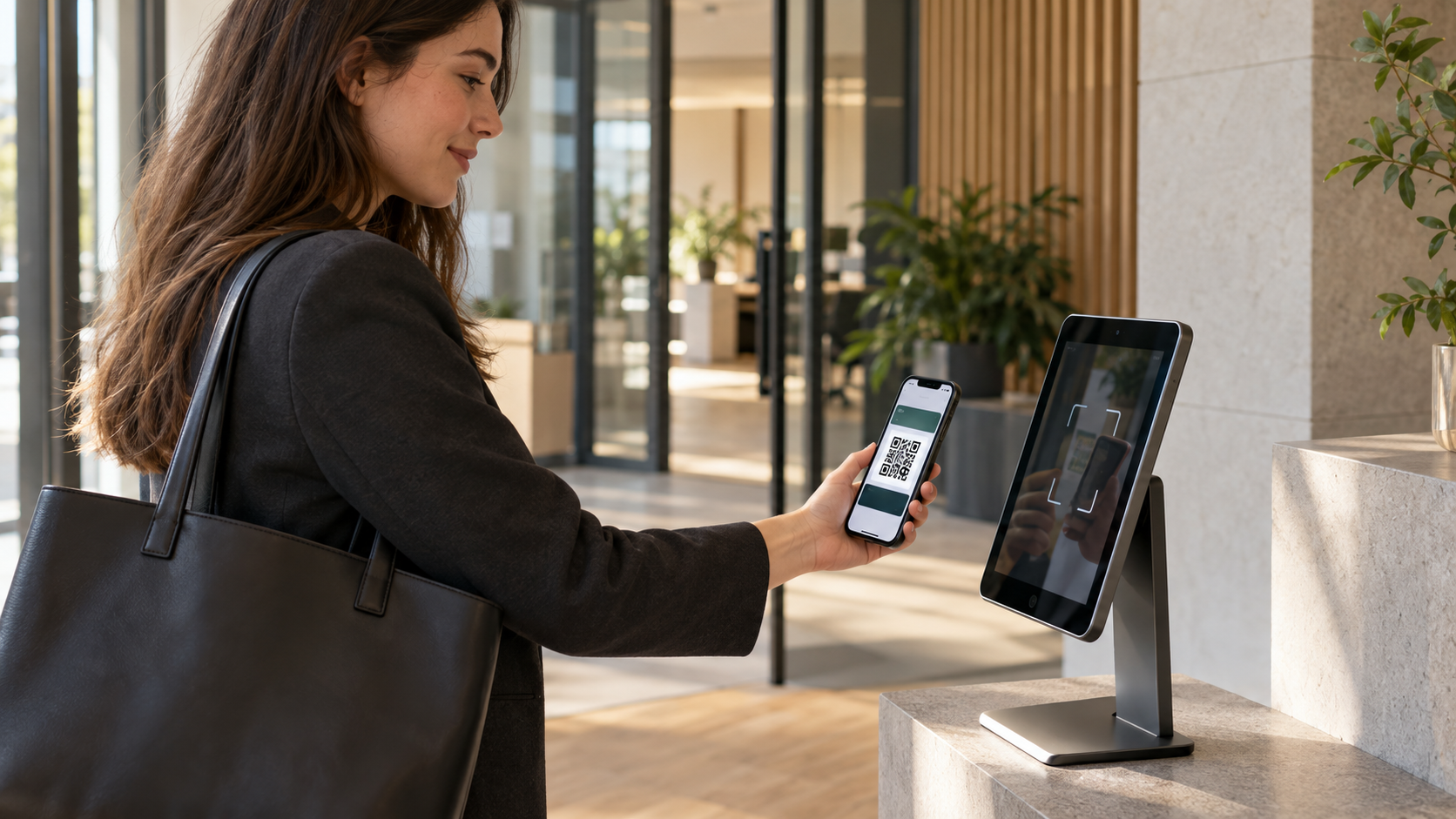
Discover how employees can check in with a personal QR code stored in Apple Wallet or Google Wallet, using the same iPad that already manages visitors.
Employee attendance does not always require complex HR software, physical time clocks or additional access-control hardware. For many organisations, a simple employee check-in system is enough to maintain a reliable overview of who is present and when employees arrive or leave.
With QR code attendance, each employee receives a personal QR code that can be saved in Apple Wallet or Google Wallet. When arriving at or leaving the workplace, the employee presents the code to a shared iPad. The iPad scans the code and records the check-in or check-out.
For organisations already using an iPad for visitor registration, the same device can be used for employee check-ins. This creates one central check-in point for employees and visitors without requiring another terminal at reception or the entrance.
In this guide, we explain how QR-based employee check-ins work, when they are useful and what businesses should consider before introducing them.
What is an employee check-in system?
An employee check-in system records when employees arrive at and leave a workplace. It replaces informal methods such as paper attendance sheets, spreadsheets or messages sent to a manager.
Depending on the system, the recorded information may include:
the employee’s name;
the date of attendance;
arrival and departure times;
total recorded hours;
the workplace or location;
whether the employee is currently present.
The main objective is to provide an accurate and accessible attendance overview. This can help managers understand workplace occupancy, review recorded hours and know who is on site.
How does QR code employee check-in work?
A QR-based check-in system gives each employee a personal QR code. This code can usually be stored digitally in Apple Wallet or Google Wallet, allowing employees to access it quickly from their smartphones.
The process works as follows:
The employee opens their personal QR code in Apple Wallet or Google Wallet.
The employee presents the QR code to the shared iPad at the workplace.
The iPad scans and identifies the employee.
The system records the arrival or departure time.
The attendance overview is updated for authorised administrators.
Employees do not need to enter their details manually during every arrival or departure. They simply present their QR code to the iPad, making the process quick and consistent.
One iPad for visitors and employees
Many organisations already use an iPad at reception or near the entrance to register visitors. A separate employee check-in terminal would introduce additional hardware, maintenance and administration.
With Lobbipad, the same iPad can support both processes. Visitors follow the configured visitor registration flow, while employees check in or out by presenting their personal QR code.
This makes it possible to manage two different groups through one familiar device:
visitors who need to register, select a host or accept workplace instructions;
employees who need a fast way to record their arrival and departure.
The processes remain separate, while authorised administrators receive the relevant information through the same environment.
Employee check-ins versus time tracking
Employee check-ins and time tracking are related, but they are not always the same thing.
An employee check-in system focuses primarily on presence: who arrived, who left and who is currently on site. It may also calculate daily, weekly or monthly hours based on those registrations.
A comprehensive time-tracking or workforce-management platform may include additional functions such as:
shift planning;
payroll calculations;
overtime rules;
absence management;
leave requests;
project-based time allocation;
automatic salary processing.
Not every organisation needs this level of complexity. Businesses that mainly want a clear attendance overview may benefit from a simpler check-in solution.
Companies with complex payroll, scheduling or regulatory requirements should verify whether a dedicated workforce-management system or additional integration is required.
Why use QR codes for employee attendance?
Fast check-in and check-out
Employees only need to open their personal QR code and present it to the iPad. They do not have to search for their name, enter a password or complete a form each time.
Easy access through a digital wallet
A QR code stored in Apple Wallet or Google Wallet is readily available on the employee’s smartphone. This avoids relying on printed lists or expecting employees to remember another login.
No separate employee terminal required
Organisations that already use a Lobbipad iPad for visitor registration can also use it for employee check-ins. This reduces the need to purchase and install additional hardware.
Real-time presence overview
A digital overview helps authorised users see which employees are currently registered as present. This can support everyday workplace operations and may also assist during an evacuation, provided employees use the process consistently.
Fewer manual records
Paper lists and spreadsheets require manual input and can quickly become outdated. Digital check-ins centralise attendance information and reduce administrative work.
Suitable for multiple locations
Organisations can configure employee check-ins across different workplaces while keeping attendance information organised by location.
What are the limitations of QR attendance?
QR code attendance is intentionally simple, but businesses should understand its limitations.
A QR code should be personal and handled accordingly. Employees should not share their code with colleagues. Organisations should also establish clear internal rules about when employees must check in and out.
The accuracy of the overview depends on employees completing both actions consistently. Forgotten check-outs can lead to incorrect totals and may require an administrator to correct the record.
QR attendance should not automatically be treated as a complete payroll or legal compliance solution. Requirements vary depending on the country, sector, employment arrangement and type of work performed. Businesses should obtain appropriate legal or payroll advice when formal working-time registration is required.
Privacy and employee attendance data
Attendance records contain personal data because they show when an identifiable employee was present at a particular location.
Before introducing a system, organisations should determine:
why the attendance data is needed;
which information is necessary;
who may access it;
how long the records will be retained;
how employees will be informed;
which security measures will protect the data.
Only information that is relevant to the stated purpose should be collected. Access should be limited to authorised users, and retention periods should be defined instead of keeping attendance records indefinitely.
Employees should receive clear information about how the system works and why their data is being processed. Attendance registration should not quietly evolve into excessive employee monitoring.
How to introduce employee check-ins
Define the purpose
Start by deciding what the organisation actually needs. Is the goal to know who is present, review recorded hours or support operational planning? A clear purpose prevents unnecessary complexity.
Determine who needs a QR code
Create a personal QR code for each employee who will use the check-in system. Make sure employees understand that their code is personal.
Make the code easy to access
Allow employees to save their QR code in Apple Wallet or Google Wallet so they can retrieve it quickly when arriving or leaving.
Position the iPad appropriately
Place the shared iPad where employees naturally enter and leave. The device should be easy to access without creating congestion.
Establish clear instructions
Explain when employees should present their QR code, what to do after a forgotten check-out and who they can contact when a record is incorrect.
Test the process
Run a small test with a limited group or location. Check whether scanning is fast, the instructions are clear and the attendance overview meets the organisation’s needs.
Review the data regularly
Verify that registrations are complete and that access rights and retention periods remain appropriate. Employee feedback can also reveal practical improvements.
When is a simple check-in system the right choice?
A lightweight employee check-in system can be a good fit for offices, warehouses, workshops and organisations with several locations.
It is especially useful when a business:
wants to replace paper attendance lists;
needs a current overview of employee presence;
wants to record arrivals and departures;
already uses an iPad for visitor registration;
does not require complex shift planning or payroll automation;
wants to avoid purchasing a separate time clock.
Organisations with advanced workforce planning, payroll or compliance requirements may need additional software or integrations.
Employee check-ins with Lobbipad
Lobbipad offers a straightforward way to register employee arrivals and departures using personal QR codes and a shared iPad.
Employees can save their personal QR code in Apple Wallet or Google Wallet. At the workplace, they present the code to the Lobbipad iPad to check in or out.
Authorised users receive an overview of employee presence and recorded hours. Daily, weekly and monthly information can be reviewed centrally without introducing a complex HR platform.
Organisations already using Lobbipad Visitor Management can use the same iPad for employees and visitors. The Employee Check-ins solution is available for a fixed price per location with unlimited employees and can also be used as a separate module.
A simpler way to understand workplace attendance
The best attendance system is not necessarily the one with the most features. It is the one employees use consistently and administrators can manage without unnecessary work.
Personal QR codes stored in Apple Wallet or Google Wallet provide employees with a convenient check-in method. By scanning those codes with a shared iPad, organisations can create a practical attendance process without adding another dedicated terminal.
For companies already using an iPad for visitor management, combining visitor registration and employee check-ins on the same device makes the existing setup even more useful.
Want to see this on your own front desk?
Book a 30-minute online demo, or start a 30-day free trial. No credit card needed.
Keep reading
Visitor management
GDPR and visitor management: how to register visitors responsibly
Visitor registration involves personal data. Learn how to build a GDPR-conscious check-in process with clear purposes, limited data and appropriate retention.
Visitor management
Digital visitor management: a complete guide for businesses
From pre-registration and check-in to host notifications, badge printing and check-out — a complete guide to digital visitor management for businesses.